How to Claim Your Business on ChatGPT (Business Hub), Step by Step
ChatGPT now lets a business claim its profile, edit what ChatGPT says about it and see how often it is referenced. The six steps, what to write in the 300-character box, and how long verification takes.
Guilherme Hortinha · 11 November 2026
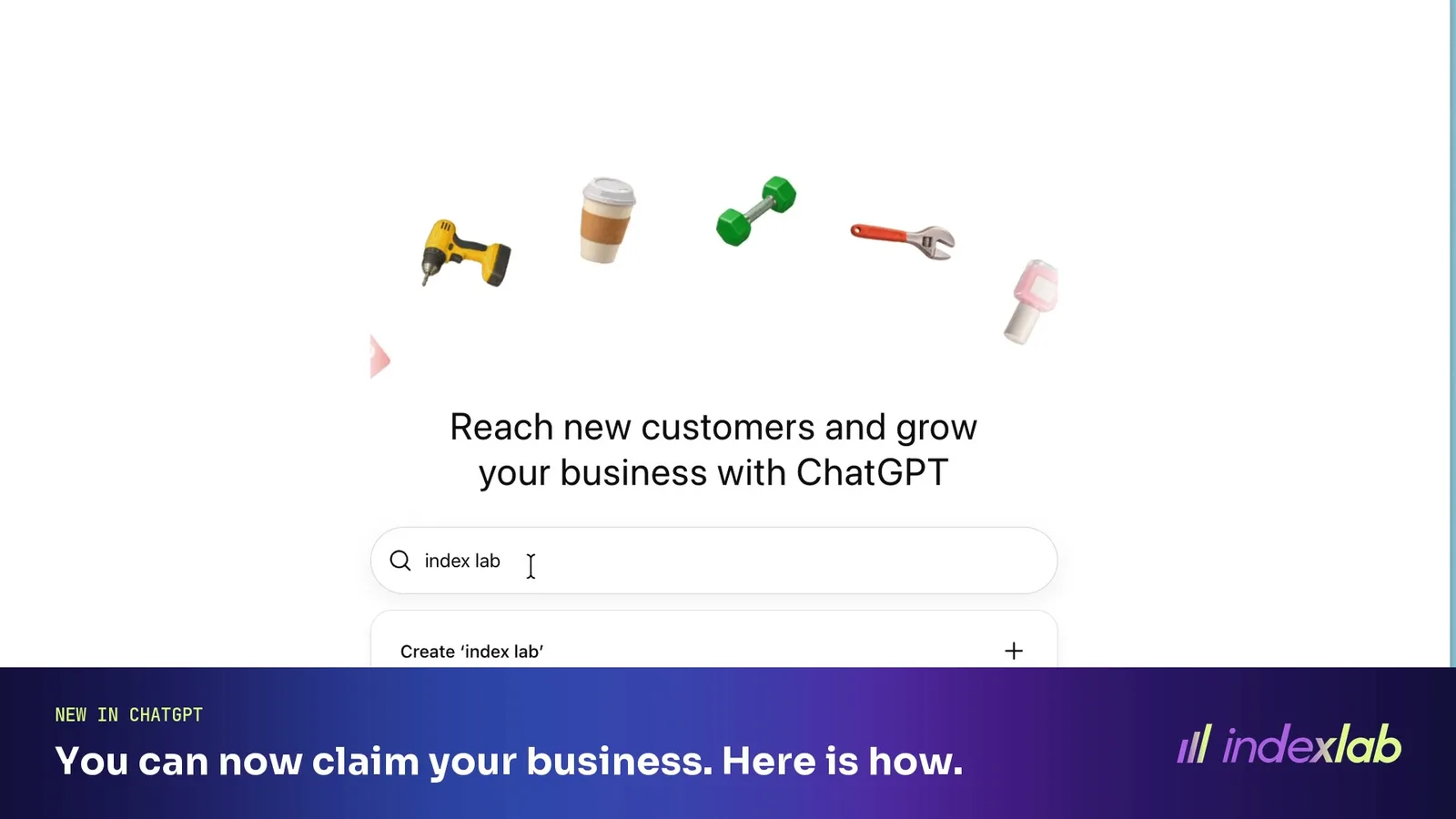
Short answer: open chatgpt.com/business-hub, add your website, prove you own the domain with one DNS record, pick a category, describe the business in 300 characters and add a contact email. That creates your profile. An ID check and a review by OpenAI follow, and OpenAI's own screen says the review takes a few days. Claiming is free.
The whole claim, start to profile, fits in a 25-second walkthrough video.
What Businesses in ChatGPT is
OpenAI launched Businesses in ChatGPT in beta on 10 November 2026. Through Business Hub, in OpenAI's words, businesses can "claim their business, manage their information, and see insights on how people engage with them on ChatGPT".
Three things come with a verified profile:
Your information. Website, description, category, contact details, delivery and return policy, and a product feed with prices and availability.
Insights. The number of mentions and website clicks, plus discovery topics, which OpenAI describes as "common themes across conversations where their website is cited".
A Business Agent. A labelled chat with your business inside ChatGPT. At launch it is open to eligible ecommerce and online service businesses in the United States.
OpenAI says any eligible business located where ChatGPT is available can claim itself.
The claim, step by step
We claimed Index Lab the day after launch. The flow asked for these, in this order:
Which brands does ChatGPT name for your buyers' questions?
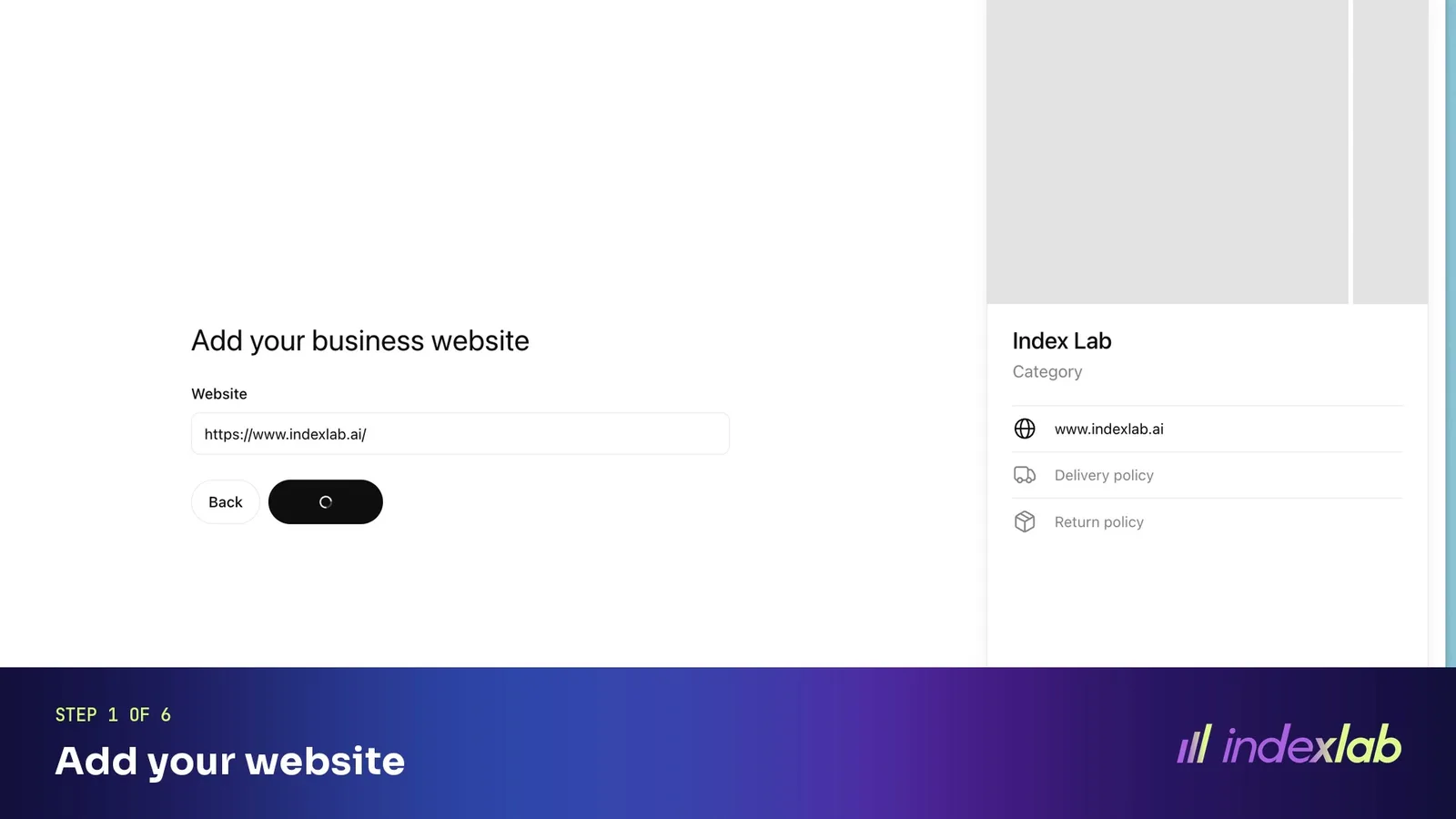
Step 1: Add your website
Sign in to ChatGPT, open Business Hub from the sidebar or at chatgpt.com/business-hub, search for your business and enter its website.
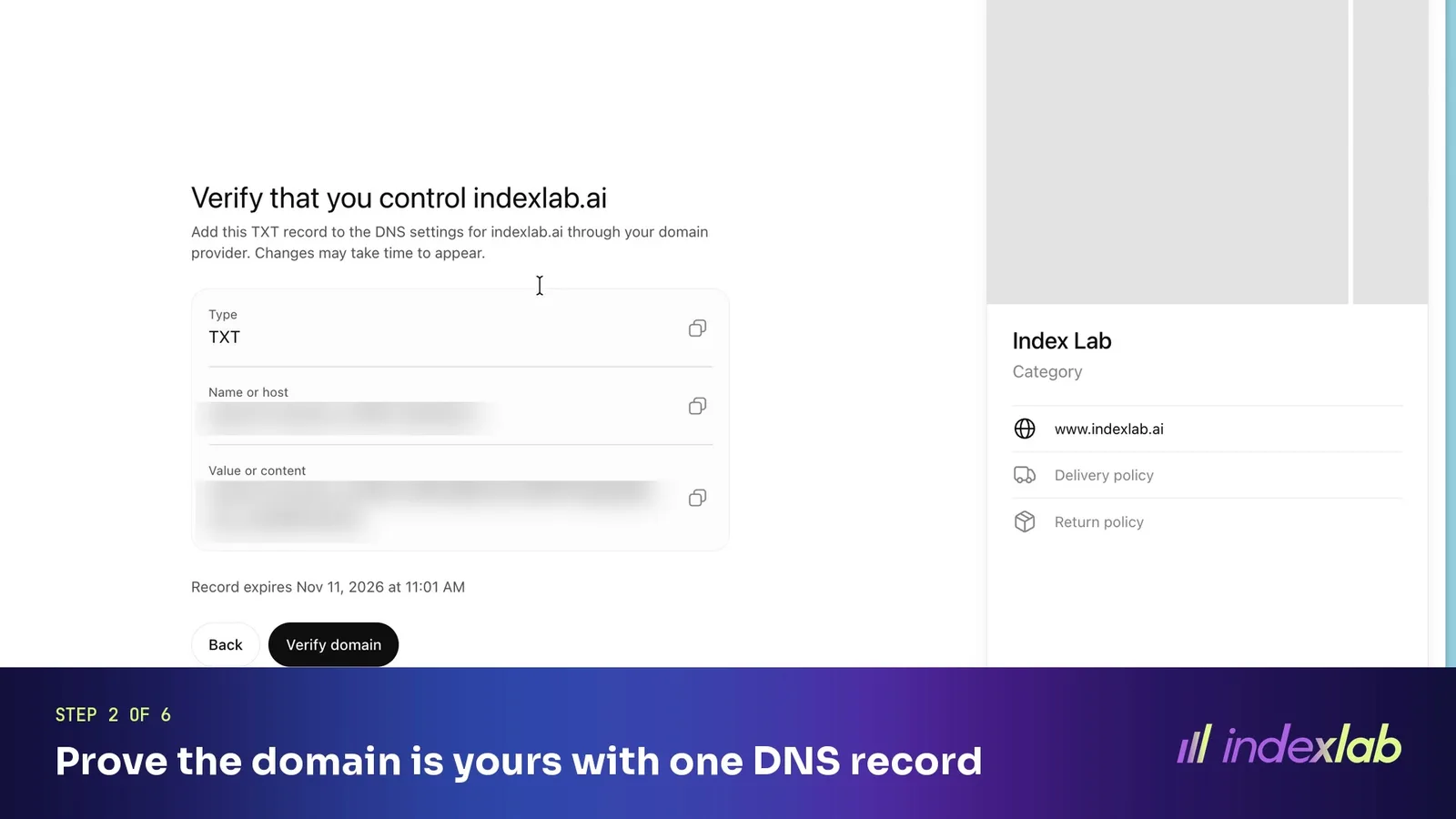
Step 2: Prove the domain is yours with one DNS record
Business Hub shows a TXT record: a name that starts with openai-business-profile and a value. Add it where your domain's DNS is managed, then press Verify domain. The screen shows when the record expires, so add it straight away.
Step 3: Pick your category
Search the list and pick the closest one. We chose Marketing agency.
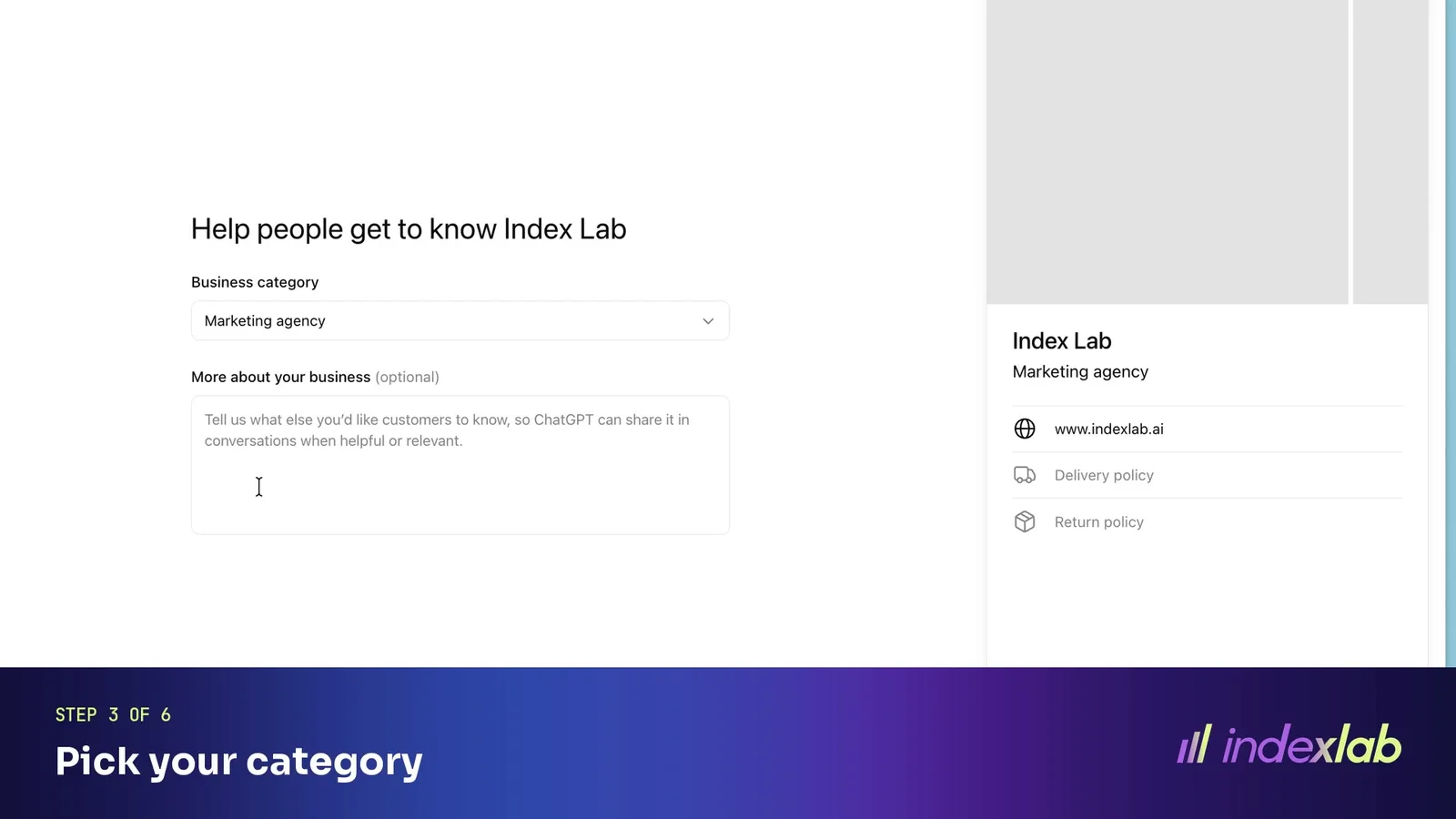
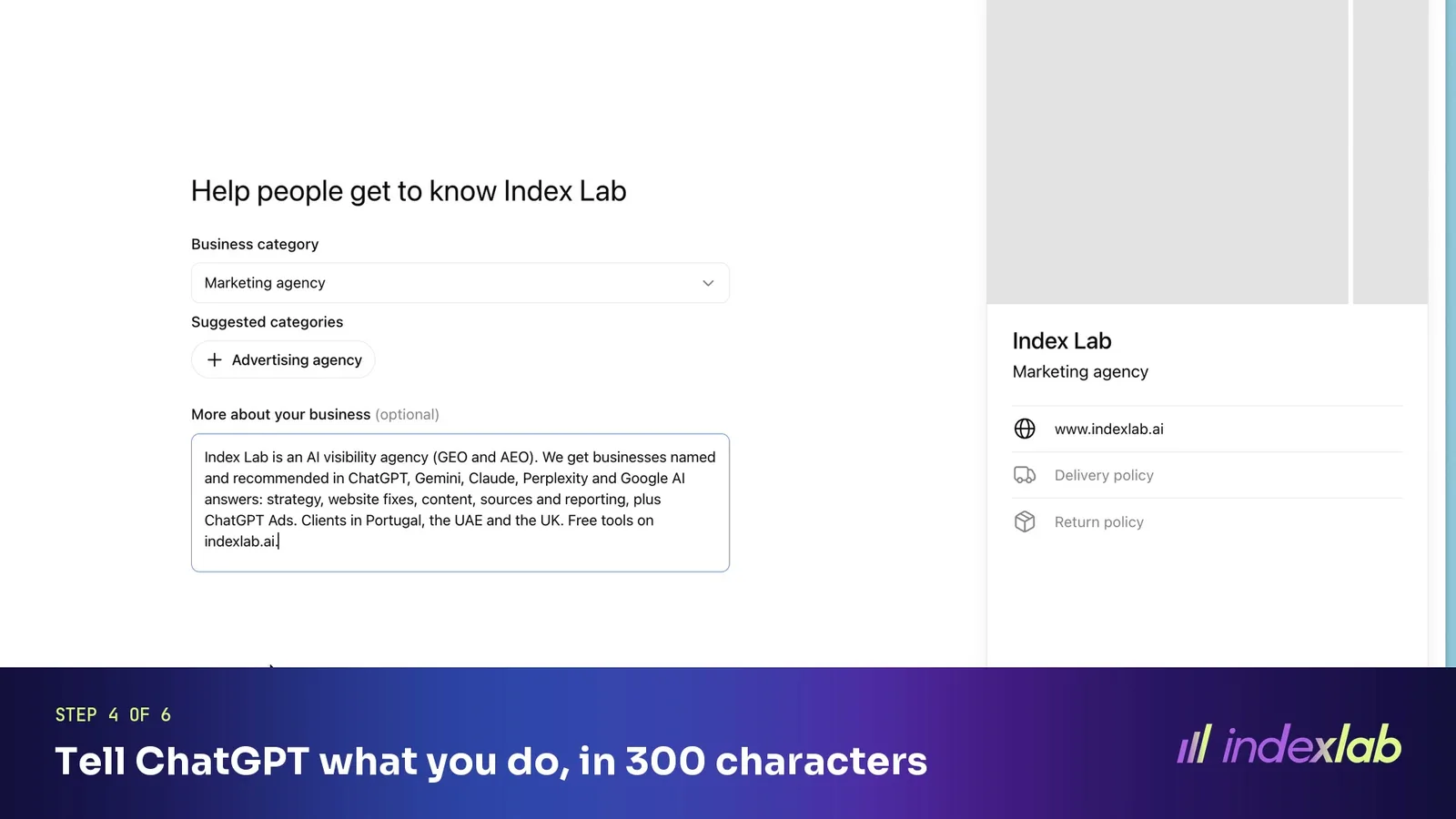
Step 4: Tell ChatGPT what you do, in 300 characters
"More about your business" is a free-text box with a 300-character limit. ChatGPT can share it in conversations when it is relevant.
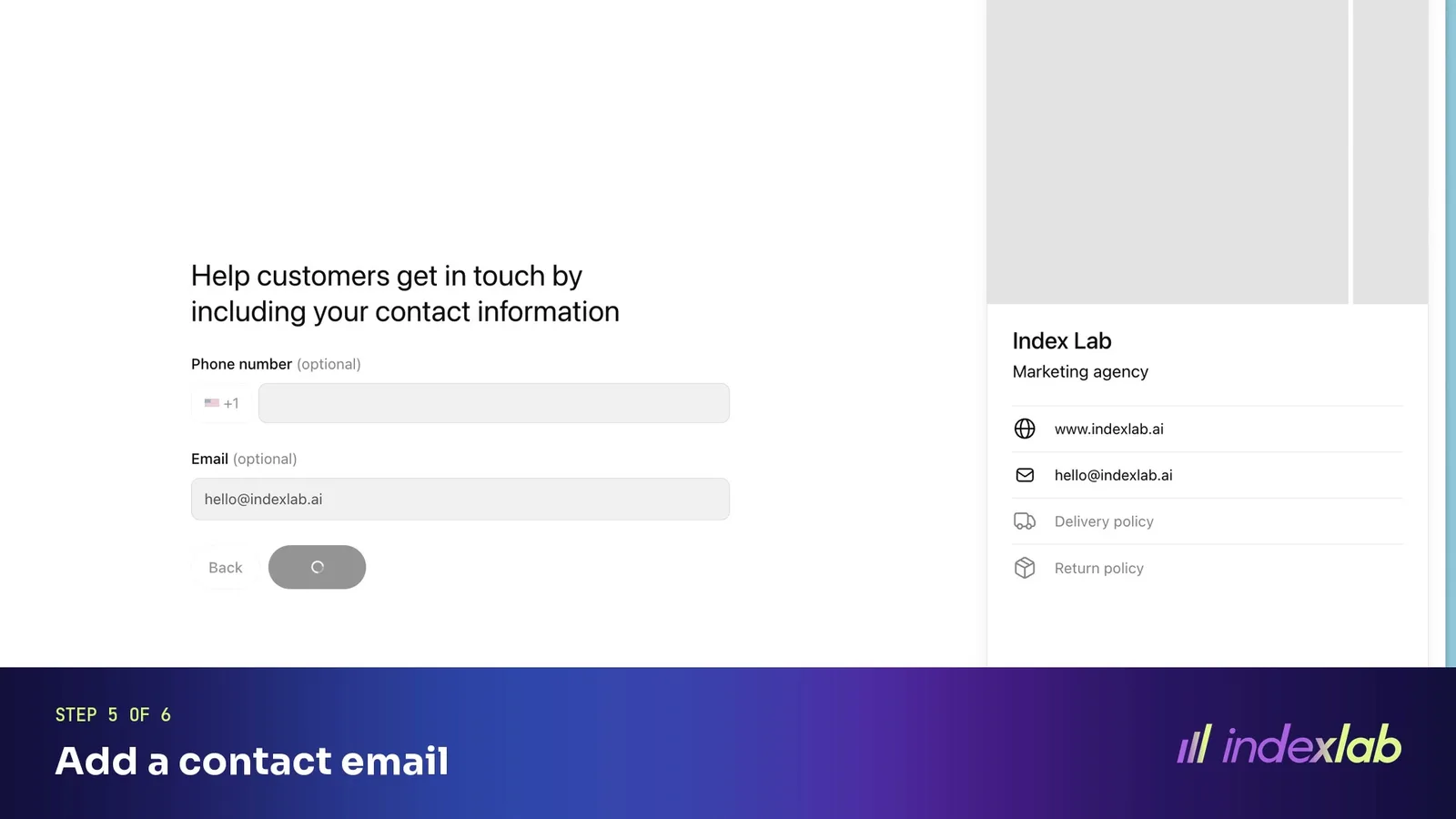
Step 5: Add a contact email
The email is confirmed with a code sent to that address. A phone number is optional.
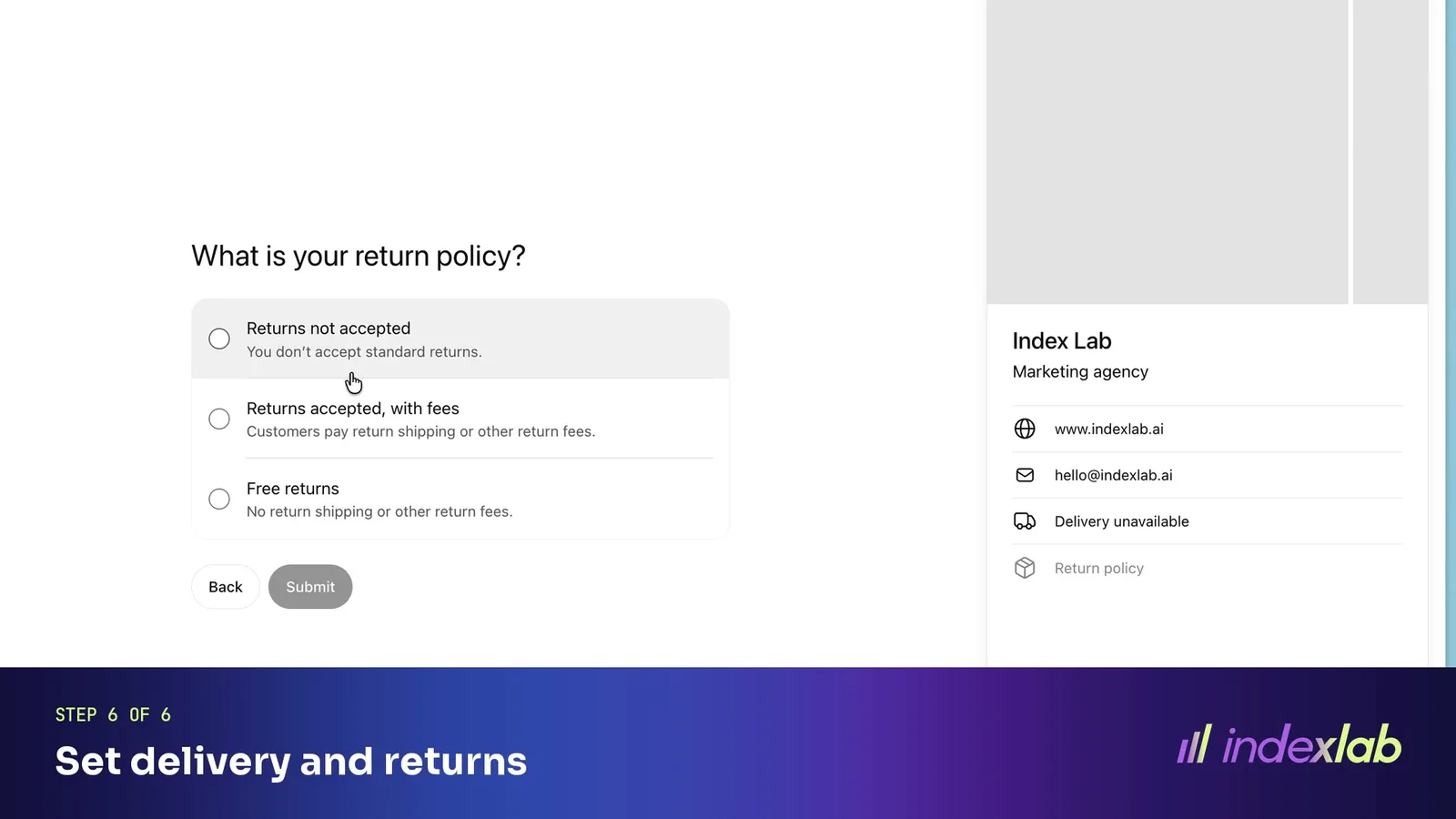
Step 6: Set delivery and returns
Pick the policy that applies, or say that you do not deliver or accept returns.
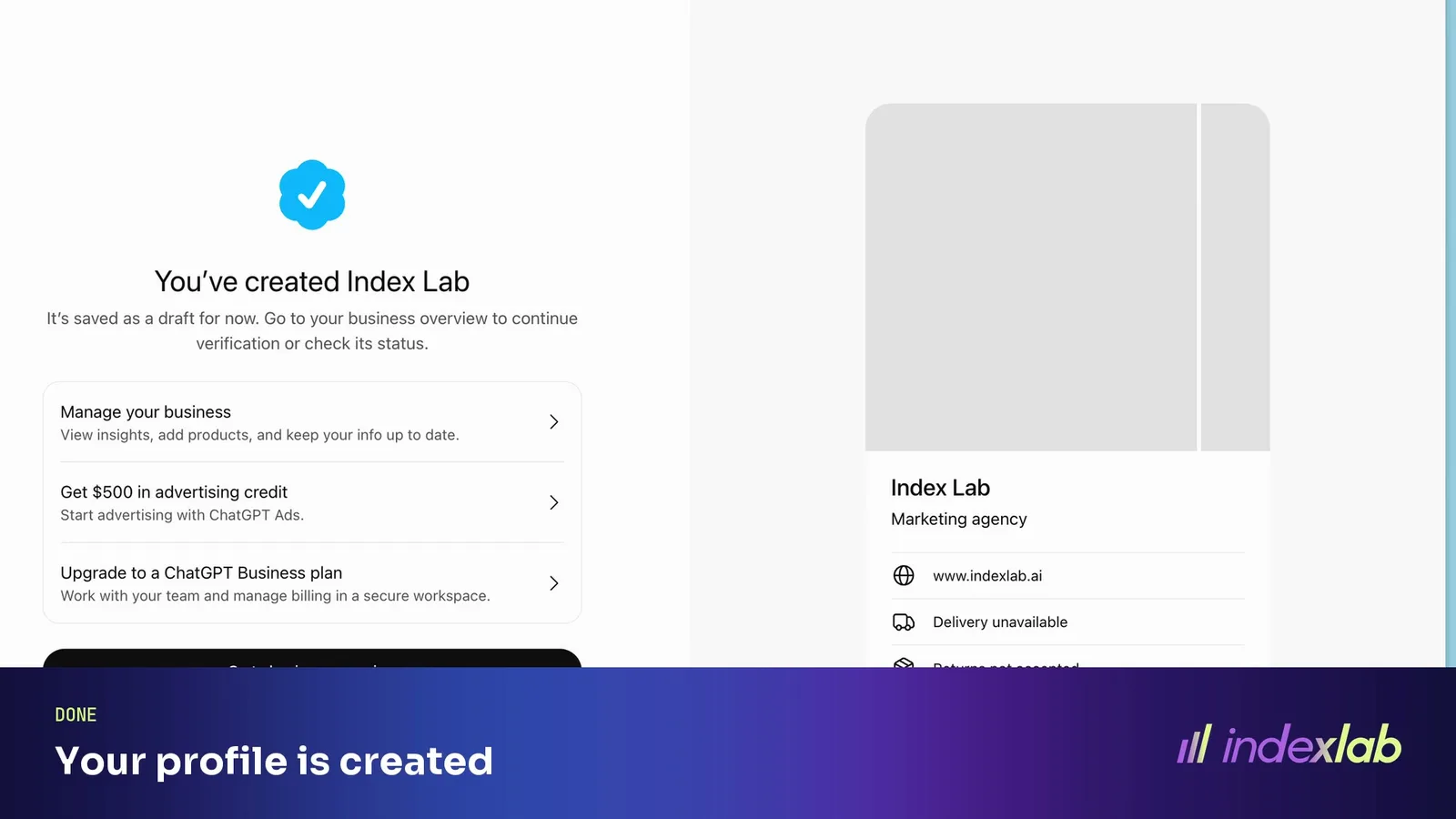
Done: your profile is created
Business Hub confirms the profile is created and saves it as a draft.
What to write in the 300-character box
This box is the one place where you tell ChatGPT, in your own words, what you are. Use it the way a buyer would describe what they are looking for:
Say what you are in the words buyers type. The category term first ("family law firm in Lisbon", "AI visibility agency").
Say what you do and for whom. Services or products, then the customer.
Say where. Cities or countries you serve.
Write in the third person, in plain sentences. ChatGPT may quote it.
Leave out slogans. Every character should carry a fact.
Keep it consistent with your website's About page and your other profiles. An answer engine trusts a description it finds repeated in several places.
After the profile: the ID check and the review
Creating the profile does not publish it. Two things follow:
An identity check. It runs through a verification provider and asks for a photo of a government ID. You can continue on your phone.
A review by OpenAI. The screen reads "Application in review" and says status updates will appear "over the next few days".
Editing, product feeds, insights and agents open once the business is verified. That wait is the reason to start now: every day before verification is a day without your own numbers.
What you see once you are verified
Insights are aggregated and, according to OpenAI, "only available when there are enough conversations or interactions to meet certain thresholds". An empty chart can therefore mean too little activity to show.
OpenAI does not share conversations or the questions people asked. You get counts and themes, explained in what Business Hub counts as a mention. To know which exact questions name you, and which competitors appear beside you, you still need to ask the engines those questions on a schedule and read the answers.
Who should claim, and when
Any business with a website: claim now. It is free, and the review takes days.
Shopify stores: connect the store from Business Hub or the Shopify admin, which OpenAI says streamlines verification.
Enterprise customers and advertisers: OpenAI asks you to go through your OpenAI representative.
Agencies: the business owner should claim, because the identity check is personal. Prepare the DNS record and the profile text for them.
Frequently asked questions
Is claiming a business on ChatGPT free?+
Yes. Businesses in ChatGPT is in beta and claiming carries no fee.
Does claiming improve how often ChatGPT recommends my business?+
OpenAI does not promise that. Claiming gives ChatGPT accurate information about you and gives you numbers. Being recommended still depends on what the web says about you, covered in how to make your business appear in AI search engines.
Which countries can claim?+
OpenAI says any eligible business located where ChatGPT is available. Business Agents are limited to the United States at launch.
How long does verification take?+
The review screen says status updates appear over the next few days.
What does Business Hub count as a mention?+
OpenAI's launch post lists mentions, website clicks and discovery topics drawn from conversations where the website is cited. Figures appear only above an activity threshold.
Is your site technically ready to be quoted by AI? Get your score.
[ Keep exploring ]
Terms in this article

Co-founder & Head of AI Innovation, Index Lab
Guilherme co-founded Index Lab, an AEO/GEO agency that makes brands the answer AI gives across ChatGPT, Gemini and Perplexity, taking clients from zero AI visibility to top recommendations.
[ Related reading ]
What ChatGPT's Business Hub Counts as a Mention, and What It Leaves Out
OpenAI now shows a business its mentions, website clicks and discovery topics in ChatGPT. What each number counts, why a strong brand can show a low one, and what you still need to measure yourself.
Read →AI Search EcosystemWhat people ask ChatGPT: OpenAI's own data, by country and age
OpenAI's Signals data, July 2024 to September 2026: what people use ChatGPT for, how it differs by country and age, and what it means for brands.
Read →AI Search EcosystemHow Often Do AI Overviews Appear in 2026? The Numbers by Query Type
Over 80% of Google searches now show an AI Overview, 88% of commercial comparisons and 83% of branded searches. What each study measured, and what it means for your brand.
Read →See where your brand stands in AI.
Free visibility check →